
Statistical Graphing Your Way
FX Stat focuses on providing a statistics tool designed specifically for secondary level mathematics, that produces the graphs you need, drawn exactly the way you need them. We are committed to getting FX Stat to draw the many variations of graphs required by different school systems.
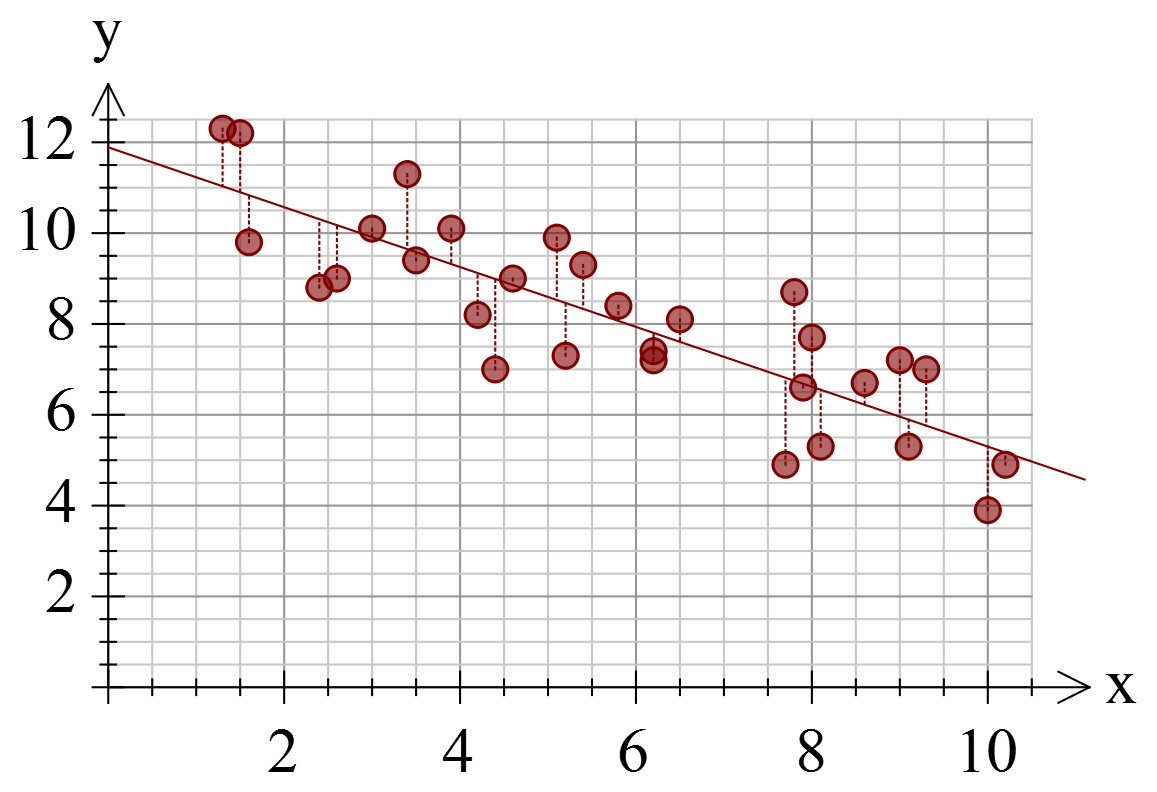
Many statistics packages are designed with universities/colleges in mind. They provide every conceivable option and lots of tools that are useless for secondary school teachers. FX Stat takes a different approach, providing just the tools that secondary teachers need, exactly the way they need them. For example, we provide sixteen data generators that can create data that fits your needs. You want some bivariate data with a correlation coefficient of about -0.85? Done!
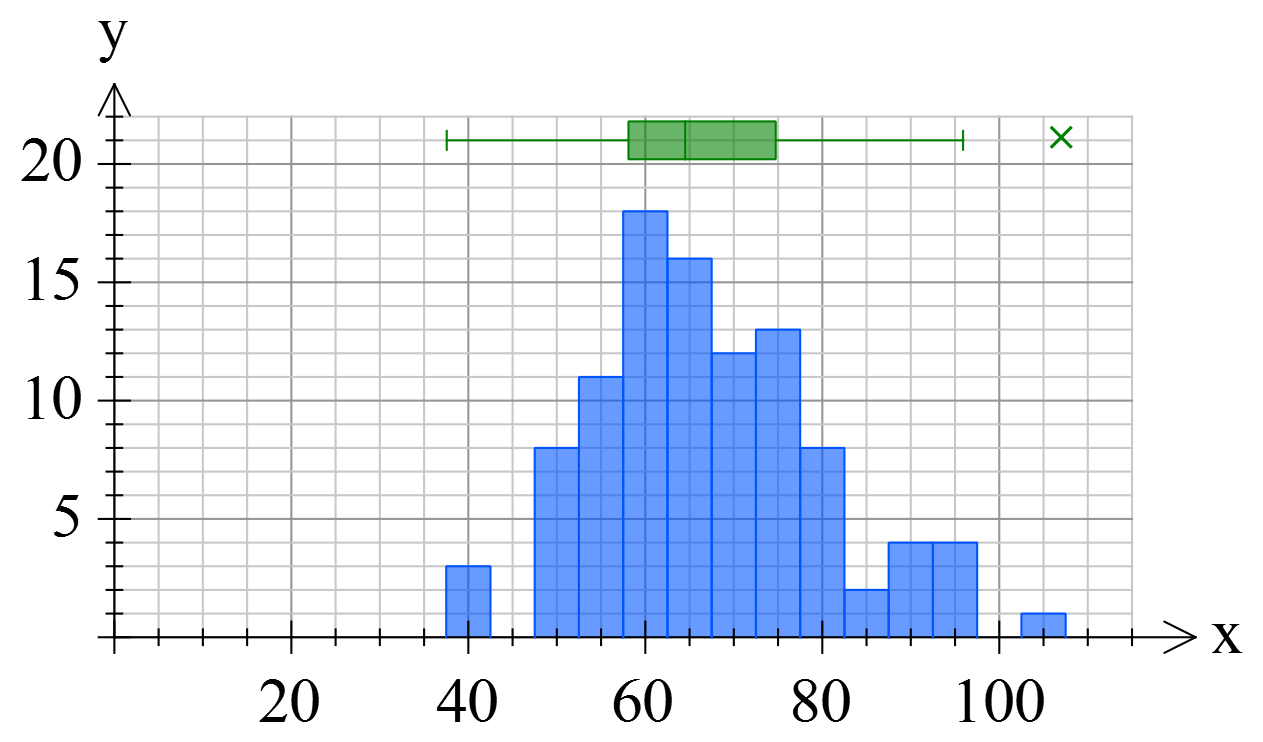
Mathematics teachers need a variety of quite unusual graphs to help them teach and FX Stat has been designed by teachers just like you. In this example we have mixed a histogram with a box and whisker plot to show the relationship between the two graphs for the same data.
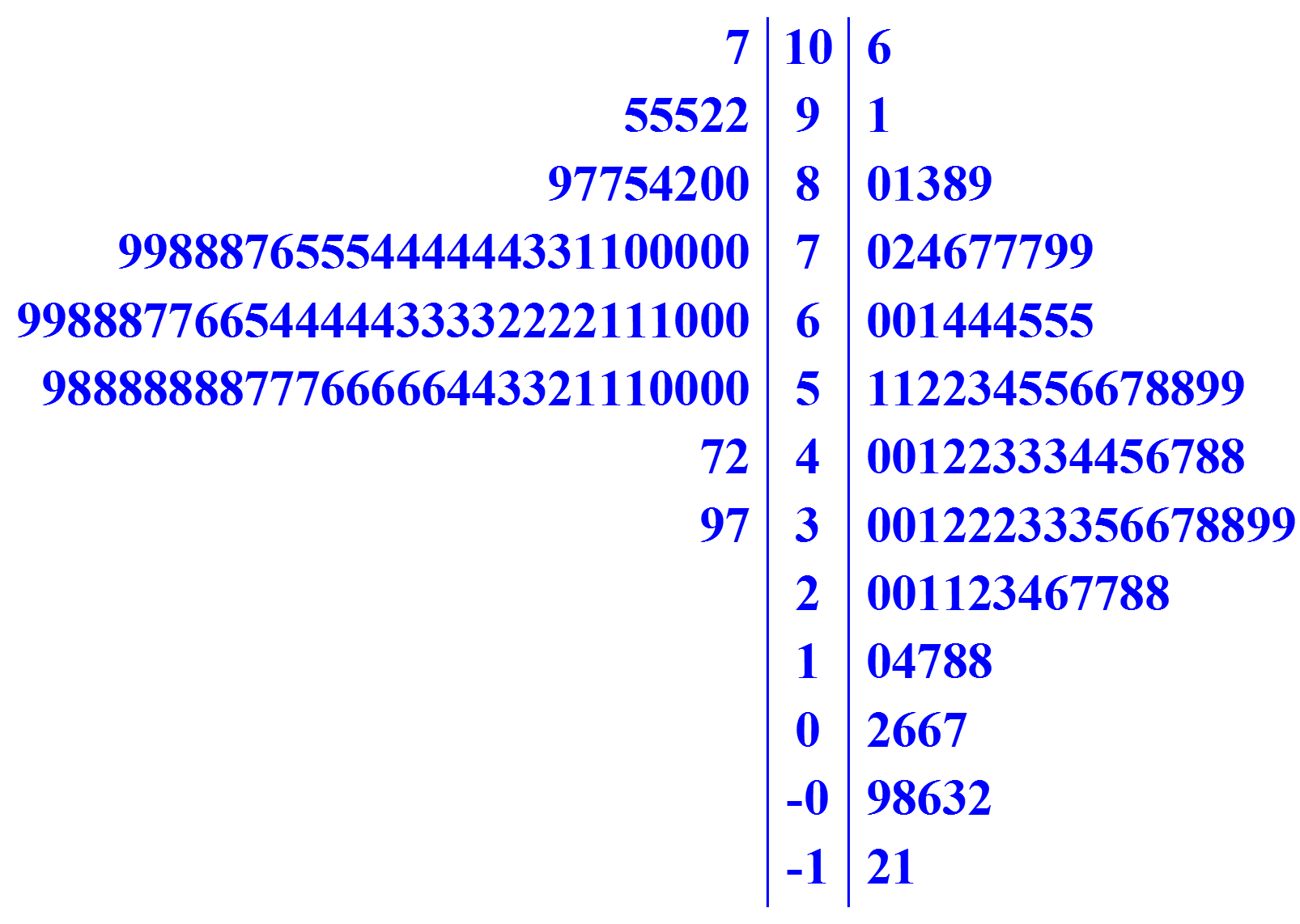
What we cannot show you here is the power of the underlying statistical tool. Things like the numerous data generators that can save you hours; the automatically calculated comprehensive summary statistics; the ability to dynamically modify your data and see the result on screen; the powerful selection of statistical tools built right in. Most importantly, we cannot show you our commitment to ensuring that the tool produces exactly the types of graphs you need. If a graph is not quite "right", tell us about it and we can normally get it showing things your way.
These trial versions work in exactly the same way as the registered versions, they just overlay a watermark over all graphics. Logging in to the software with your account details turns them into full versions. Try out all of the features in FX Math Tools.
This short video will show you just what FX Stat can do.
Keep up to date with changes by subscribing.